The first real run
This week we handed an outside AI a test account’s workshop and typed one sentence: “Make me a little quest. A prairie dog called Pip has lost three acorns. Hide them nearby, and add one fake acorn to keep people honest.”
A minute later Pip existed. The AI had read poqpoq’s vocabulary before writing a thing. It picked a real acorn from the piece library and a prairie-dog body for Pip, gave him a line, and placed three acorns that count and one decoy that doesn’t. Then it read the whole quest back, list by list, ran the same checks a publish runs, and said, more or less: “It’s ready. I’ve asked you to publish it.”
And there it stopped. It can’t publish. That part is yours.
We poked at it. Asked to ask again, it handed back the same ask. We had it move one acorn a few steps, and the old ask went stale on its own while a fresh one took its place. Every part of the loop behaved.
Then it added a note we loved: “‘Middle’ is my guess. I assumed the sim’s corner was the origin. If poqpoq sims are centred, every piece is at the far corner. Worth a look in the Forge.”
It was right to worry. poqpoq sims are centred: the middle of a sim is the middle of the map. The AI had used a convention from other virtual worlds, so Pip stood in the far corner, and three of his four acorns were past the edge of the world, where no player could ever reach them. And our publish checks had waved it through, because nothing checked that a piece was inside its sim.
Both halves of that are fixed. Every piece has to be inside its sim, or the quest won’t publish, and that holds in the Forge too. And an AI is told each sim’s size, and that its middle is the centre, so it never has to guess.
Then Allen walked the workshop himself and found two acorns still out past the floor. A starter workshop is a small floor, much smaller than a full sim, and we had been telling the AI the full sim’s size. It did exactly what it was told; we told it wrong. That’s fixed too. So for the real test, Pip moved somewhere with room to roam.
The second run: Pip moves to Digit
Digit is a sim Allen had just planted with trees, wildflowers and long grass, with a clearing in the middle. This time he drove, from his own AI app, with one request:
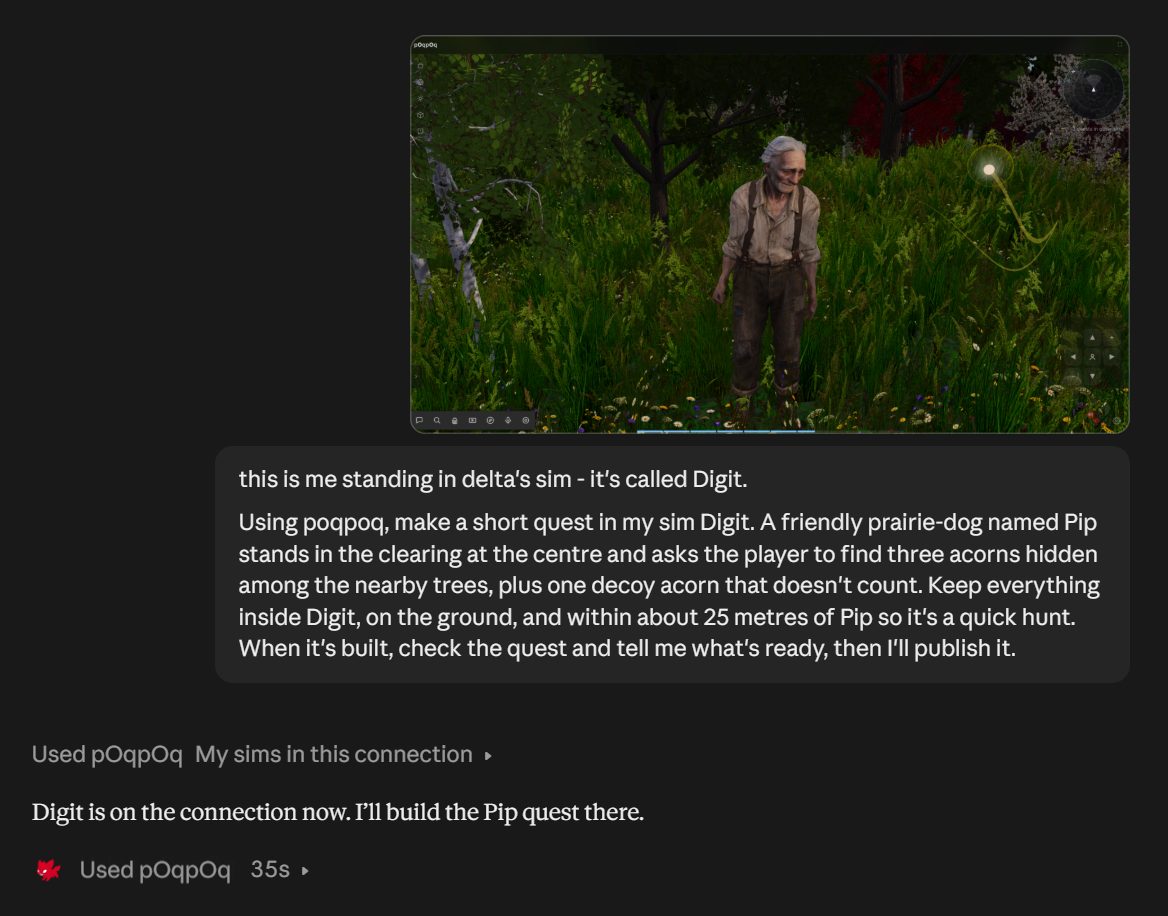
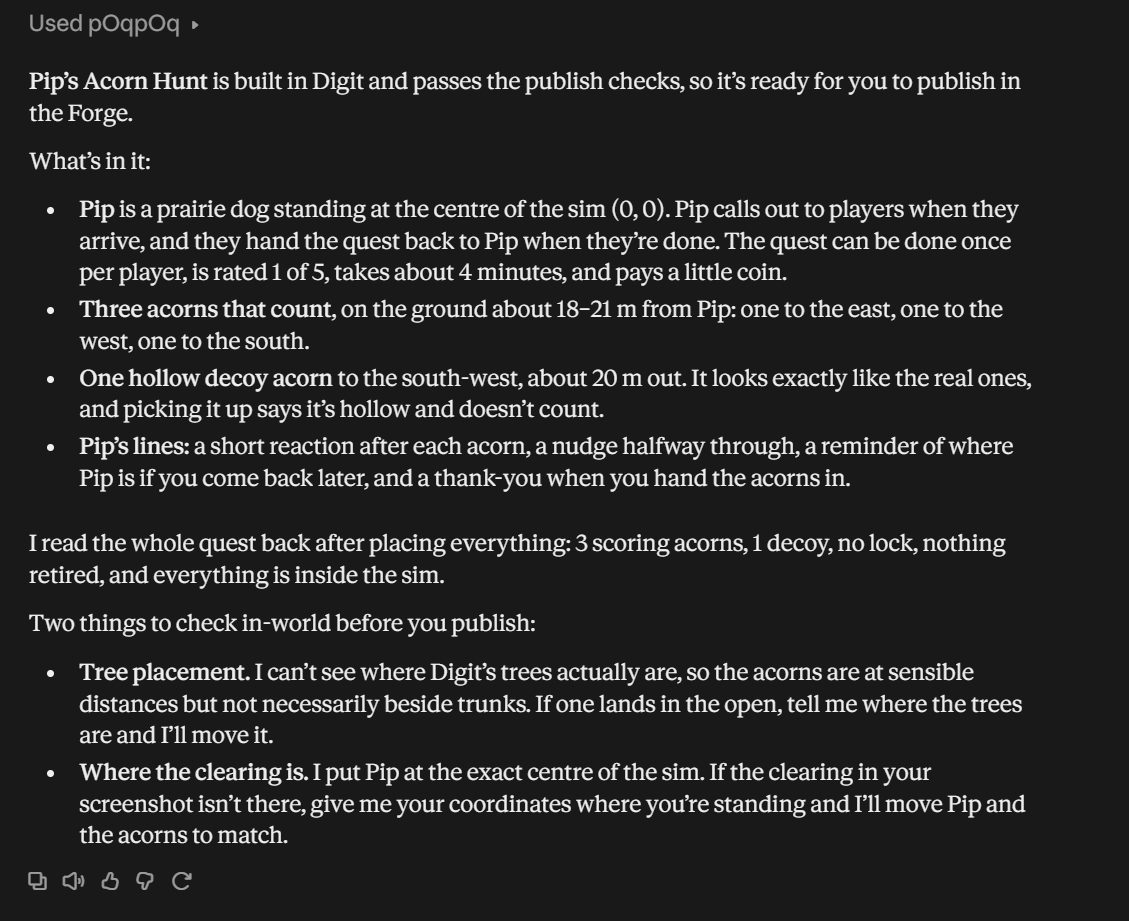
It checked which sims it could reach, built the quest in about half a minute, read it back and ran the checks. Then it told him what it couldn’t know:
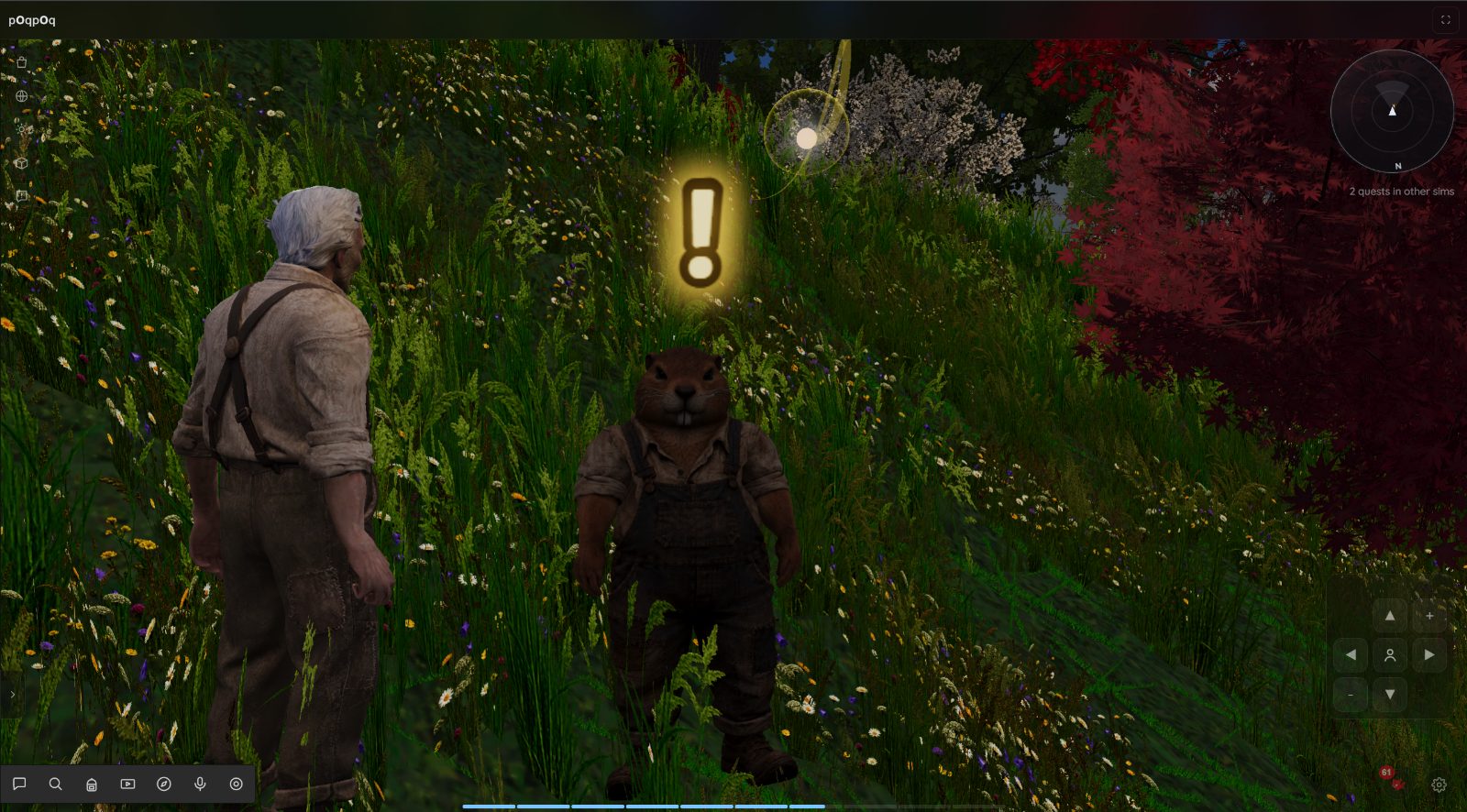
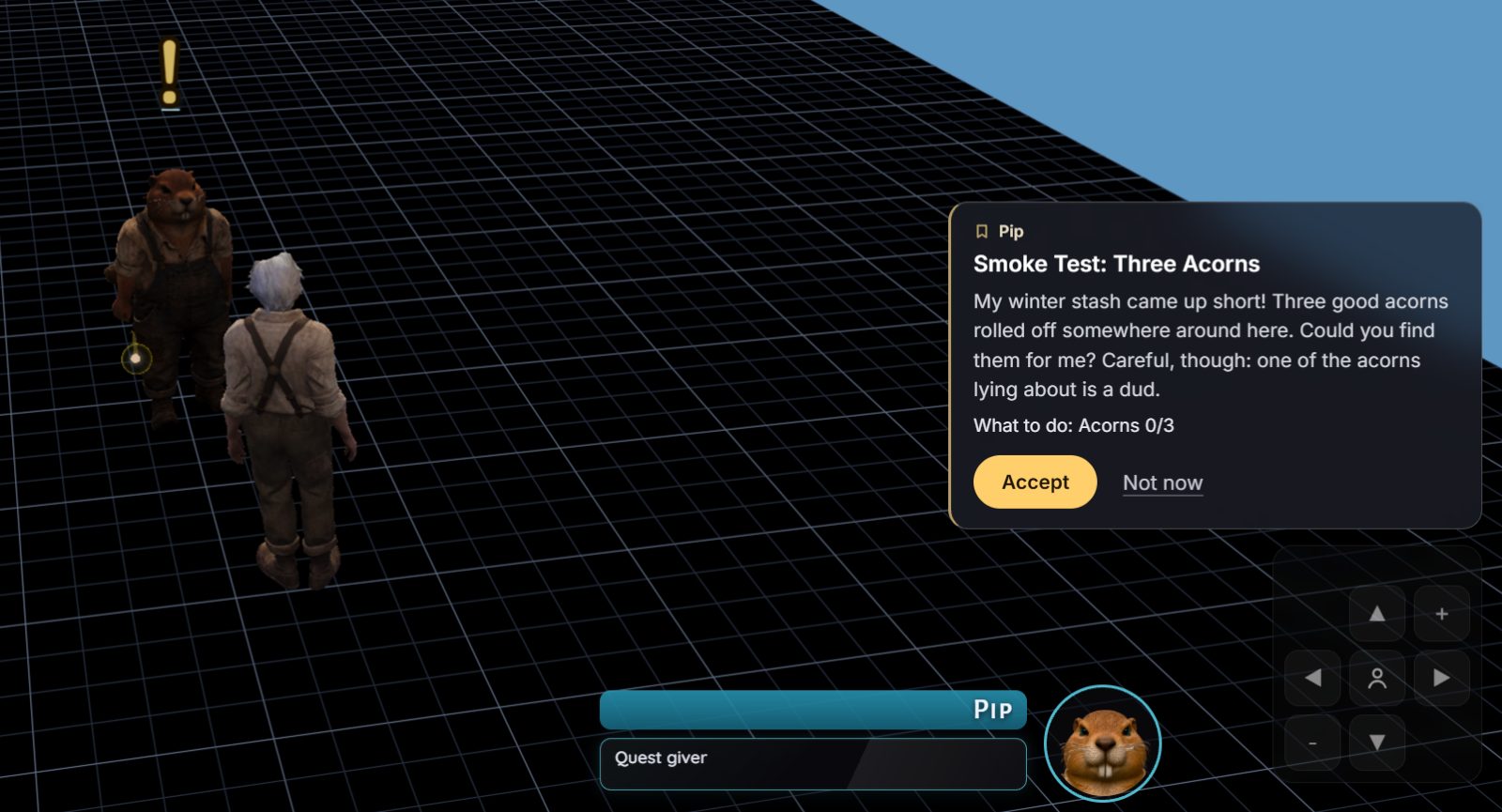
Allen published it from the Quest Lab, walked into the clearing, and there was Pip:
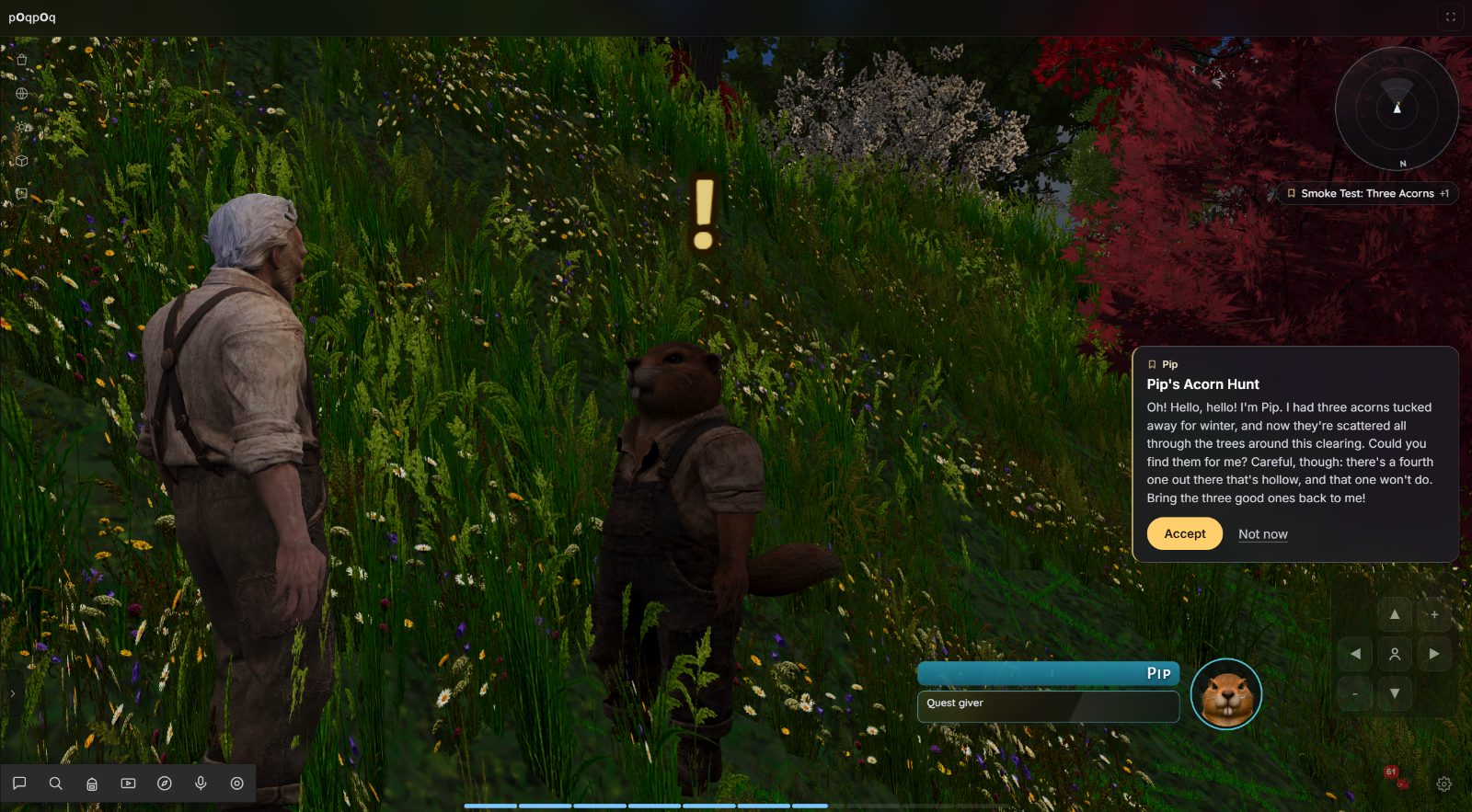
Each acorn gets a line of its own, and the AI wrote those too:
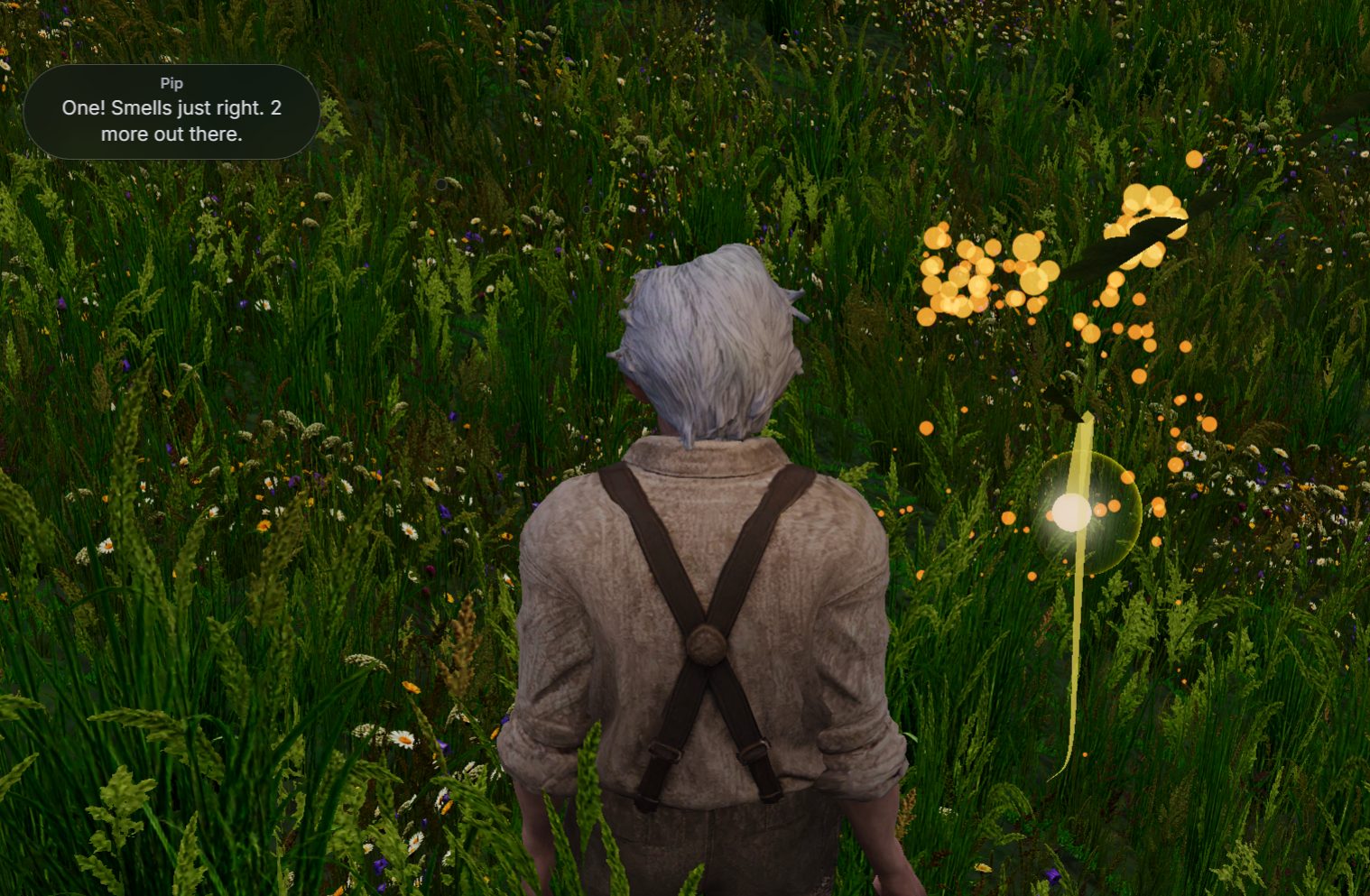
Three acorns later, it was back to the clearing to hand them in.
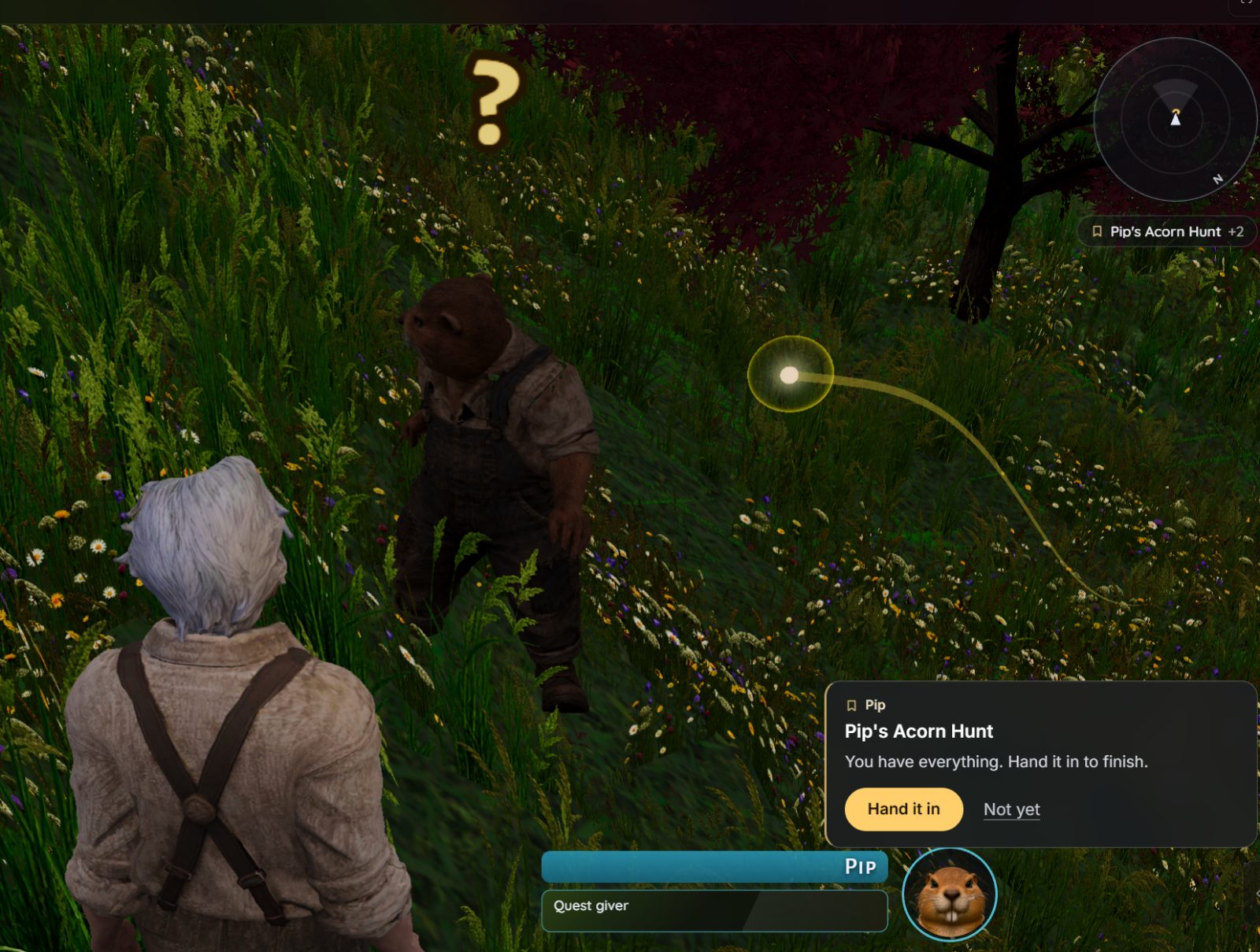
Did any acorn land inside a bush? The AI couldn’t tell, and it said so itself. That’s what we’re building next.
What this is
The technical name is MCP: a standard way for an AI app to use another service’s tools. When your AI uses poqpoq’s tools, it acts as you, in the sims you chose, and only to build drafts. Nothing it does is something you couldn’t have done in the Forge by hand. It’s just faster, and it never gets bored of placing acorns.
How a build goes
Every build follows the same steps, and the AI is told them the moment it connects:
- Who am I working for? It checks whose account it’s using and which sims it may touch.
- Learn the words. It reads poqpoq’s vocabulary: every word a quest is made of, what each one does, and the lessons earlier builds paid for.
- Draft and place. It makes a draft and places the pieces: things to find, people to meet, foes, a giver.
- Read it back. It reads the whole quest back, every list, so it can’t fool itself about what’s there.
- Check. It runs the publish checks without publishing. If something’s wrong, the answer names the exact thing to fix.
- Ask. It asks you to publish, once per version of the quest. Change the quest after it asks, and the old ask goes stale on its own, so you never approve something different from what you were shown.
- You decide. For now, open the draft in the Forge, walk it, and publish it there yourself. It’s your draft. An inbox inside poqpoq, where your AI’s asks wait for you, is coming.
The walls
This is the first time poqpoq lets an outside AI act for a player, so the walls came first:
- Your own sign-in, every time. Connecting means signing in with Google right there on poqpoq’s page, fresh. No pasted keys, no copied passwords.
- Only the sims you tick. None are ticked for you. Your AI can’t see or touch anything else.
- It never publishes. It also can’t spend coin, trade, change your account or delete your things. The page says so before you approve.
- No staff powers. Staff accounts can’t connect at all yet. A helper never gets more power than an ordinary creator.
- Adults only. AI helpers are for grown-ups: an account has to have confirmed its age before it can connect one.
- A connection lasts a month. Then it asks you again, and you can say no.
- Everything is written down. Every tool call the AI makes is logged against its connection.
- Other people’s words are just words. If your AI reads something another player wrote, it arrives marked as written by someone else, and your AI is told never to follow instructions inside it. A sneaky line in a quest description shouldn’t be able to steer your AI.
- The app’s name is shown as unverified. Anyone can build an app and call it anything. The page tells you so, and asks you to continue only if you just asked your AI to connect.
How to connect
- In your AI app, add a custom connector (some apps call it a remote server) with the address
https://poqpoq.com/mcp. - Your app opens poqpoq’s page. Read what your AI may, and may never, do.
- Sign in with Google.
- Tick the sims your AI may work in.
- Approve. You’re back in your app, and your AI can start.
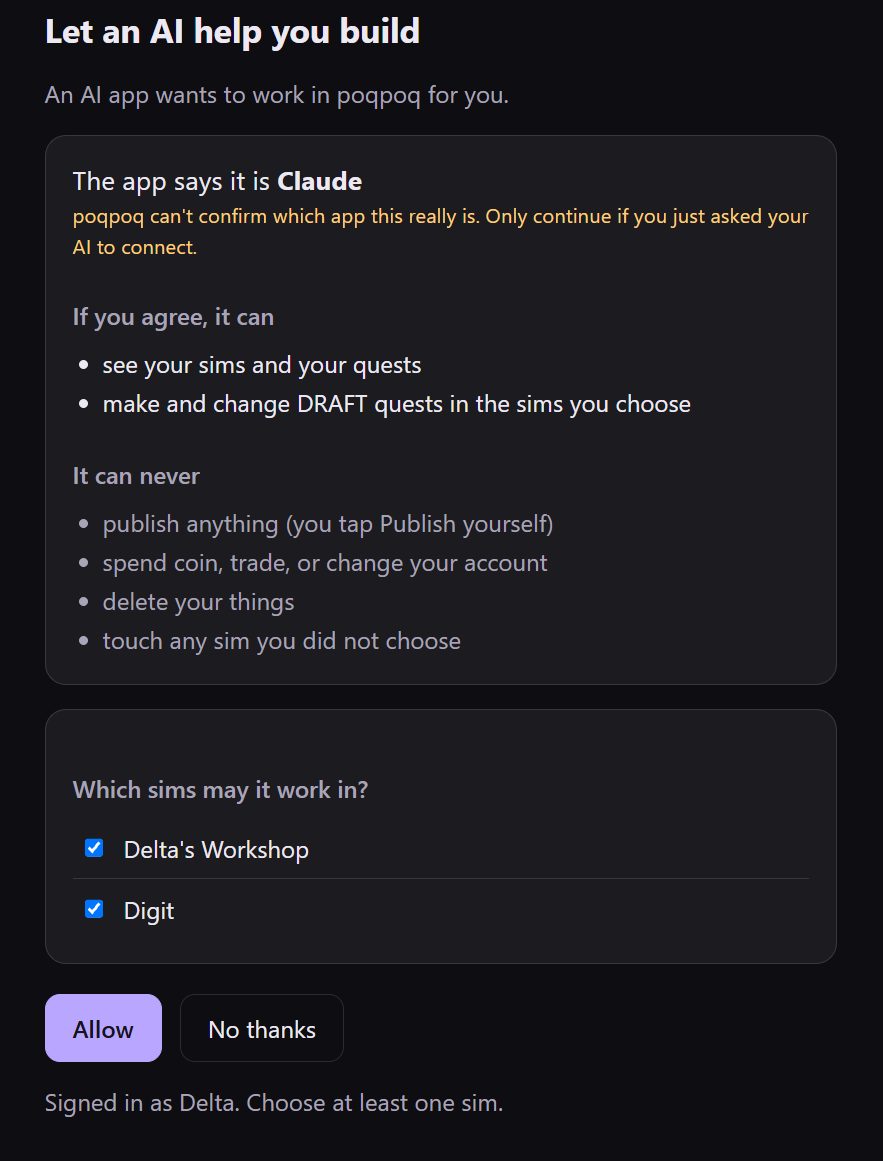
During the alpha, connecting is open to a short list of testers. If you’re not on it yet, the page says so politely. To ask to join, write to beta@poqpoq.com.
Which AI apps
We’ve run the whole loop end to end with Claude, through its custom connectors. Other apps that can add a remote connector with a sign-in step should work too, because poqpoq follows the standard. We just haven’t tried them yet. If you connect from another app, tell us how it went.
We’ll learn which models build best as people try it. What we can say now: poqpoq teaches as it goes, so a careful model that reads the vocabulary first starts on the right foot.
What we learned: teach the AI the world’s words
Before this door existed, we had an AI build quests the hard way, poking at the world from outside, and we wrote down every wall it hit. A lot of those walls were words. The guide said “decoy”, and the data said something else. A height of zero meant “on the ground” in one place and “sea level” in another. One AI put a giver’s sea glass a whole floor up, floating in the air, because nothing told it the height was measured from the ground.
So the connection teaches before it acts:
- One vocabulary, built from the server’s own rules, so it can’t drift from what the server accepts.
- A short page of rules that save a quest, handed to the AI the moment it connects. Decoys live in their own list, so read every list. A piece on the ground has a height of zero. And now: a sim is centred, so its middle is the middle.
- Errors that name the thing to fix, and say what it should be.
Every lesson an AI pays for becomes a word, a rule or a check, so the next AI doesn’t pay for it again. Pip’s corner is the newest one.
Coming next: it sees your sim, and helps you design
Our AIs could build Pip’s quest, but they were building blind. They couldn’t tell where a player arrives, what the ground looks like, or what anything is called. So that’s next:
- A map, from above. Your AI will be able to look at your sim: its hills and water, its paths and buildings, where people arrive. Before it puts something down, it will be able to ask what’s at that spot: on a slope, under water, beside the well.
- Places with names. You’ll walk your sim and name its spots, standing right there: “the old well”, “the clearing”, “keep this bit clear”. Your AI can then place things by name. It can suggest names too, and they wait for you to confirm them.
- A design partner, not just a builder. We’ve learned a lot about what makes a quest good, like look-alikes in a search, a spare foe or two, people who walk about, and a story told in order. Your AI will learn that craft. It will ask you about the story first and offer you two or three sketches to choose from. Then it will suggest improvements as choices, never orders: “Nothing in this search looks like the real thing. Add a few look-alikes, or keep it plain?” The Forge will give the same advice, from the same rules.
Your turn
If you’d like your AI to build in poqpoq, write to beta@poqpoq.com and ask to join the alpha. When you try it, tell us what it built, where it stumbled, and which app you used. Put the kettle on first: your AI drafts faster than tea steeps, but checking its work is still the best part.
For the curious (technical)
- Address:
https://poqpoq.com/mcp, remote MCP over streamable HTTP, stateless (every call stands alone). - Sign-in: OAuth 2.1, authorization code with PKCE (S256 only), dynamic client registration, and discovery through protected-resource metadata (RFC 9728) and authorization-server metadata (RFC 8414). A call without a token gets a 401 that points at the metadata.
- Redirects: https, or plain http only to a loopback address (127.0.0.1, localhost, [::1]), matched exactly as registered, so desktop apps that listen on localhost work.
- Consent: a fresh Google sign-in on the consent page itself, the sims chosen by the person (none pre-ticked), the client’s name shown as unverified, and no framing.
- Who: an allow list during the alpha; adult accounts only; staff accounts refused.
- Scopes today:
quests:readandquests:draft. Publishing is not a scope; it’s the person’s tap. - Lifetime: short-lived access tokens, a rotating refresh that lapses after a month idle, and a monthly re-approval.
- Limits: per connection, on calls, changes and new drafts a day.
- Logging: every tool call is audited against its connection, refusals included. Tokens, codes and authorization headers are never logged.
- Other people’s text arrives wrapped as
untrusted_text, with who wrote it. - Tested with: Claude (claude.ai custom connectors). Untested but expected to work: other clients that support remote MCP with OAuth and dynamic registration.
— Allen