Most of the time, poqpoq World is a friendly place. When something does not feel right, you have simple ways to tell us, and a person on the poqpoq team will read what you send. This page walks through all of it.
Reporting someone or something
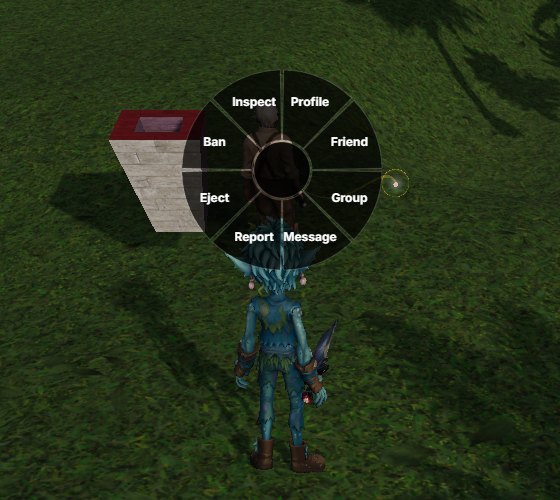
Open the round menu around a person or a thing and choose "Report". You can also find it on a person's profile card. A card opens titled "Report <name>".
Pick what's wrong. About a person you'll see "Harassment", "A scam", "Spam", "Not rated right" and "Something else"; about a thing there is also "It's not theirs to share".
Add a note if you like ("Anything we should know?"), then press "Send report".
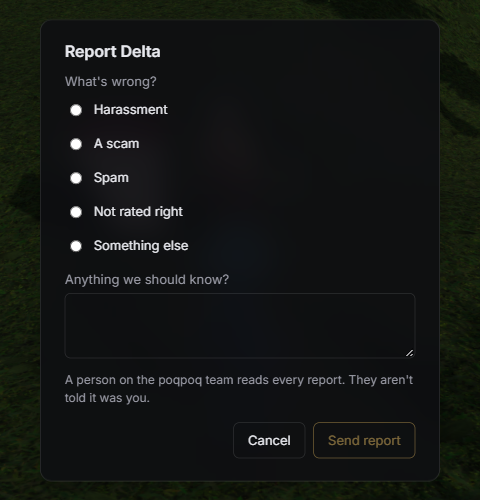
The person you report is not told who reported them.
What happens next
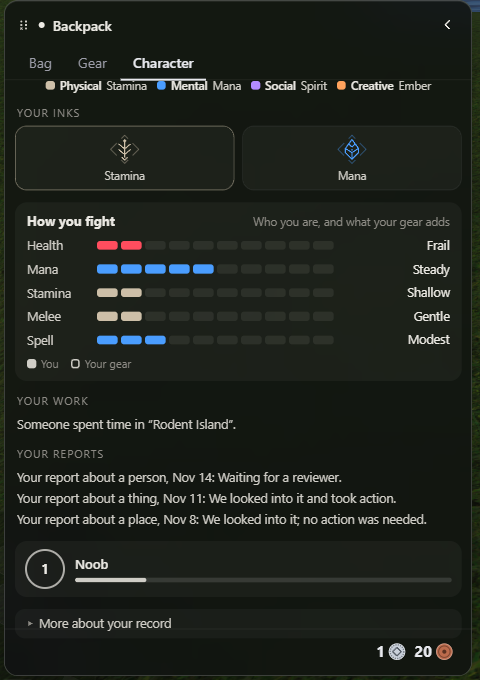
A person on the poqpoq team reads every report. You can see where yours stands on the Character tab of your Backpack (the bag on the bottom bar), under "Your reports". Each report gets one line, for example: "Your report about a person, <date>: Waiting for a reviewer."
Later, the line changes to one of these:
- "We looked into it and took action."
- "We looked into it; no action was needed."
We do not share what action we took. That keeps things fair and private for everyone involved.
If a place owner asks you to leave
The owner of a place, and the helpers they have chosen, can send you out of their place. You will see "You were asked to leave" and be taken home. You are welcome to come back unless they have banned you.
Owners can also ban you from their place for a day, for a week, or until they lift it. Sometimes a ban covers all of their places. Then you will see "You can't come in" and "You can't come into this place right now…", and you will go home (or to the Plaza).
This only affects that owner's places. Everywhere else is open to you.
If your account is paused
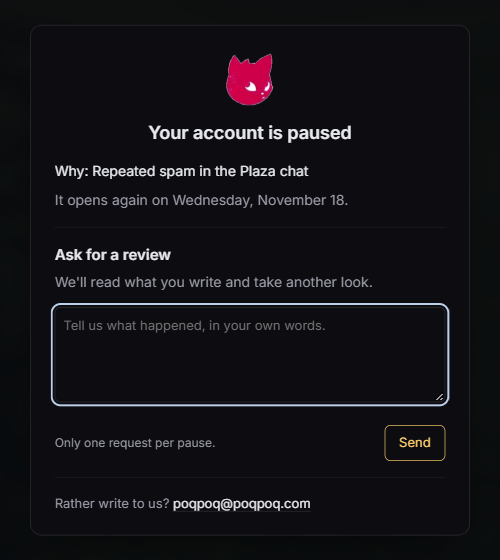
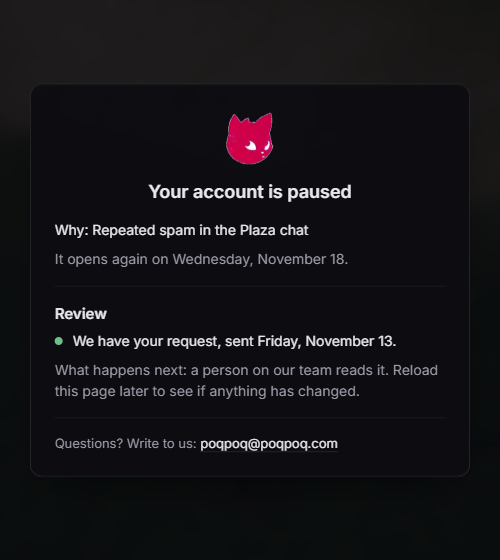
The poqpoq team can pause an account for a while, or without an end date. If yours is paused, you will see a screen titled "Your account is paused". It tells you the reason and when the pause ends: "It opens again on <day>." or "This pause doesn't end on its own."
While an account is paused, nothing else in the World works.
Asking for a review
If you think the pause was a mistake, use "Ask for a review" on that screen. Write what happened in your own words and press "Send". You can ask once for each pause.
The screen then shows "We have your request, sent <date>." A person on our team reads it.
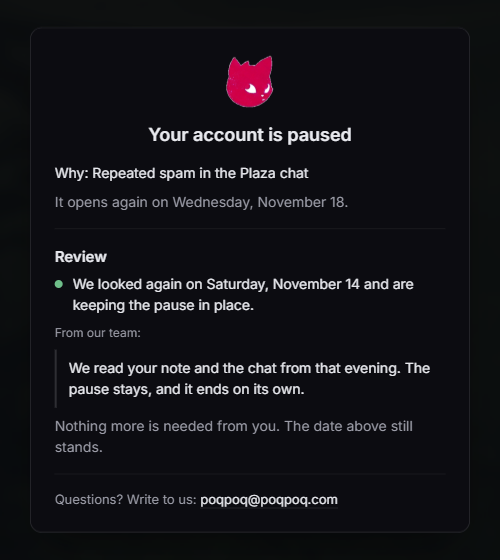
- If the team looked again and kept the pause, you will see "We looked again on <date> and are keeping the pause in place." There may also be a note headed "From our team:".
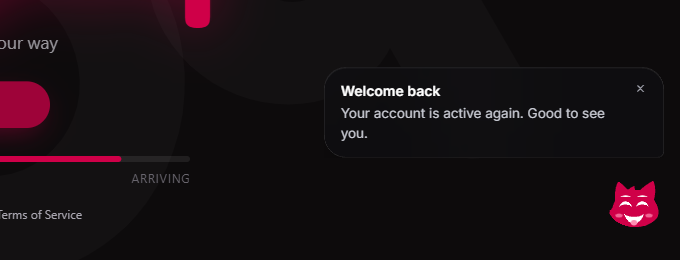
- If the pause is lifted, the World simply opens again. The next time you come in, you will see "Welcome back".
Writing to us
You can always email poqpoq@poqpoq.com. The address is on the paused screen too.